The emerging control plane for AI development
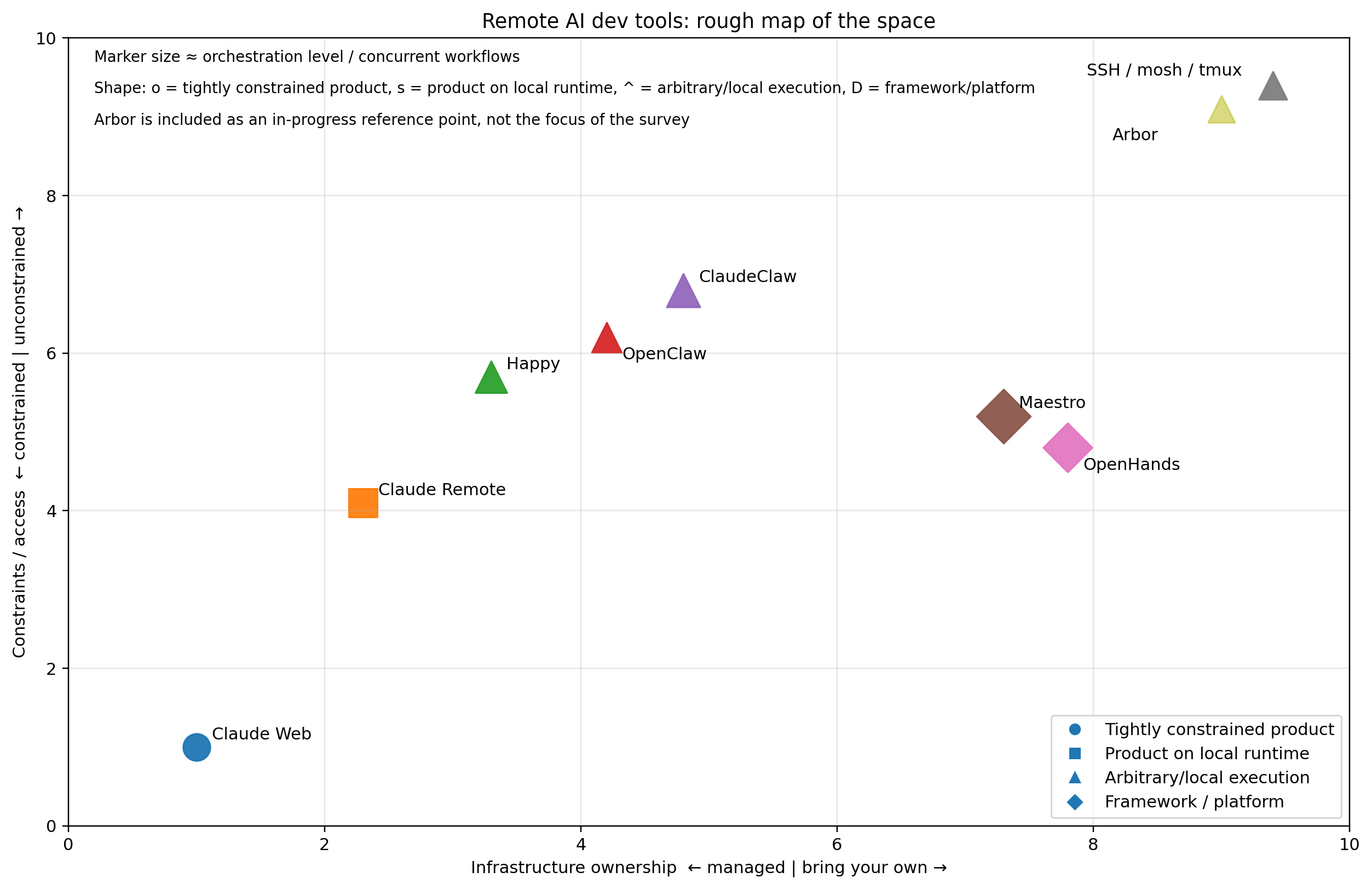
A lot of the talk around AI coding still assumes a pretty simple setup: you open a chat, paste something in, get something back. That is not where things are going. What’s starting to show up now is a different kind of system. Not just a coding assistant, and not quite a new IDE either, but something closer to a control plane for the development environment itself: agents running for a while, tools exposed remotely, state that persists, and the ability to check in from a phone, browser, or terminal. This post is a survey of that space while it is still taking shape. There are many tools that are sprouting up everyday to suit people's personal needs. Here, I am looking at only several of them. Things are moving fast so this post will almost certainly not be relevant past March 2026. Some of these tools are polished products. Some are one-man, open-source side projects. Some are really just thin layers over SSH. A few feel like early glimpses of a new IDE category altogether. I’m not trying to make a definitive ranking here. The space is moving too fast for that. I mostly want to map the terrain, say what I am actually looking for, and explain why I think this category is going to matter. There’s also a recent precursor to all of this in long-running agent like the Ralph loop or the highly over-engineered Gastown. That work matters, but I think the newer thing is slightly different: less about making agents autonomous in the abstract, more about making them usable inside a real development setup. ![[/gastown-term-orchestration.webp]] Before comparing tools, it helps to be clear about what I want. If it can’t run my actual stack, it’s not very useful. That means Docker, local services, credentials, and long-running processes. This is where most cloud-based tools start to break down. Phone, browser, laptop. Not just read logs, but actually interact with it. Not just chat. I want to kick off a task, leave, come back later, inspect what happened, and continue. With something like SSH + mosh + tmux, I can run Claude Code, OpenCode, custom scripts, Docker, or anything else. Some tools are interfaces. Some are environments. SSH is neither — it’s just access. Some tools are managed and session-based. Others expect bring-your-own infrastructure, API keys, and model setup. That’s not really a simple good/bad distinction. In practice it’s a tradeoff between convenience and control. I tend to like having the option to own more of the stack. I’d rather have something slightly rough that bends to my workflow than something polished but constrained. Before these remote control tools showed up, there was an earlier wave of experiments around long-running agents. Projects like Ralph loop and Gastown explored the idea that an agent shouldn’t just respond to prompts, but should run continuously — executing tasks, reflecting, and iterating in a loop. Those systems weren’t mainly about remote control or multi-device access. They were about persistence. What’s changed recently is not the idea of long-running agents, but how they’re integrated into real development environments. Tools like OpenClaw and ClaudeClaw build on that idea, but add something new: a way to control and supervise those agents from anywhere. If the first wave was about making agents autonomous, this wave is about making them usable. Rather than listing pros and cons, it’s more useful to map these tools across a few dimensions. The most important ones I’ve found are: Most tools aren’t competing on features so much as choosing different points in this design space. This combines a few things that tend to show up together: At one end: At the other: Everything else sits somewhere in between. Rather than listing pros and cons, it’s more useful to map these tools across a few dimensions. Some interesting ones to me are: Most tools aren’t competing on features so much as choosing different points in this design space. Here is a crude AI generated mapping of constraints and control. Notes on columns A key distinction for me is arbitrary execution: With SSH (and anything built on top of it), I’m not constrained to a specific AI tool at all. It’s just a terminal. I can run Claude Code, OpenCode, custom agents, or no AI at all. Some systems are tightly coupled to a model or runtime. Others let you treat AI as just another tool in the environment. A zero-setup, cloud-hosted coding environment. What it does well Limitations For me This works fine for quick tasks, but breaks down pretty quickly for real development work. I tend to use this for research, and first passes on coding a new feature. If the workflow depends on local services, it’s a non-starter. https://docs.anthropic.com/en/docs/claude-code The official way to control Claude Code from web or mobile. What it does well Limitations For me This feels like remote desktop for an AI session. Very clean. But it doesn’t go much beyond that. An async, programmable control layer for Claude Code and related workflows. What it does well Limitations For me This feels less like a UI and more like a control plane. An open-source attempt at a more general agent runtime. What it does well Limitations For me I spent some time trying to use OpenHands and didn’t get very far. It seems to be aiming at something important, and it think it may be more promising down the road. A multi-agent orchestration environment. What it does well Limitations For me Conceptually this is one of the more interesting systems, even if it doesn’t line up exactly with what I want day to day. https://github.com/slopus/happy An open-source remote control layer for Claude Code - but can also support other models. What it does well Limitations For me This feels like one of the more compelling points in the space because it keeps the power of local execution and adds a usable remote interface. https://github.com/siteboon/claudecodeui Open source control for a server that ties into multiple AI providers, and access their history. What it does well Limitations For me This has a lot of the features I want, but I could not get it to reliably work on mobile. I think most of the issues are around scraping the shell into the web app, but they can be worked out. The baseline everything else is competing with. What it does well Limitations For me This is ==still the most reliable option==. Everything else is layering something on top of this, whether explicitly or not. Instructions Since you can roll this however you want, here is the setup that works well for me. It requires several components but they are fairly simple: https://github.com/jonocodes/arbor After trying these, I started sketching out my own version of this: Arbor. It’s still very early, more of a spec than a system, but the direction is clear. What I want is a persistent local agent runtime that can be controlled remotely, has full access to my environment, and keeps a clean separation between execution and control. At a high level: Most tools I’ve tried optimize for one of interaction, orchestration, or flexibility, but not all three. What I’m aiming for is something closer to a lightweight control plane for the dev environment. Not a new IDE. Not a giant framework. Just something that lets me start work, leave it running, check in from anywhere, and intervene when needed. This kind of setup doesn’t exist in isolation. I can deploy it along side other tools, or do some minimal integration. For example it would be nice to see a running preview of what the running project looks like. Coolify is interesting here as the deployment side of the loop, particularly for web apps. If agents can push changes, something like Coolify can expose feature deployments and previews quickly. I love, love, love this project. It is kind of like Vercel in that it provides a web interface for managing deployments, and can auto deploy services from pull requests. But it is self hosted, and more importantly it is full stack (Vercel is more stack restricted). I just make sure there is a docker-compose file in each project, and coolify will spin up all the dependent services and databases for every branch. Brilliant. This probably deserves its own blog post since I did a deep survey of other tools, and bringing it up is not trivial, especially with my NixOS setup. One thing that still feels oddly missing is a good web-based git and code review interface. VS Code Web is the closest thing I’ve found for reviewing code and pending edits before commit. I still can’t quite believe there isn’t a great web git client here yet. There are many git services, just not clients where I can do standard things like review, staging, merging, etc. That feels like an obvious missing piece in this stack: agents can generate changes, but reviewing them remotely is still awkward. These tools aren’t better or worse in some absolute sense. They’re making different choices. Infrastructure ownership Execution environment Control style Execution freedom Orchestration The shift isn’t just from writing code to prompting models. It’s from interacting with tools to managing systems. The development environment is becoming something that runs continuously, with agents working in the background, and with control surfaces exposed across phone, browser, chat, and terminal. Right now, we have agents that can write code, but we don’t yet have a clean way to live with them. That, more than model quality, feels like the actual frontier here.
(image from Gastown blog)What I’m looking for
My environment is the source of truth
I want to control it from anywhere
I want long-running agents
I want freedom of execution
I care about infrastructure ownership, but I don’t treat it as a pro or con
I want flexibility over polish
A quick precursor: long-running agents
Mapping the space
What “constraints” means
Feature comparison (quick scan)
Tool
Requires API keys
Model constraint
Execution freedom
Remote control surfaces
Multi-agent
Notes
Claude Web
❌ (session)
Claude only
❌ sandboxed
Web
❌
Cannot run Docker-in-Docker
Claude Remote
❌ (session)
Claude only
⚠️ local but via Claude Code
Web, Mobile, CLI
❌
Single-session oriented
OpenClaw
✅
Multi-model
✅ full local
Chat (Slack/Telegram), Web
⚠️
Detached workflows
OpenHands
✅
Multi-model
⚠️ depends on setup
Web/CLI
✅
Framework-like
Maestro
✅
Multi-model
⚠️ depends on setup
Desktop/Web
✅
Orchestration-focused
Happy
❌ (session)
Mostly Claude (via Claude Code)
✅ full local
Web, Mobile
✅
Multi-session; open source
SSH (mosh/tmux)
❌
None
✅ arbitrary (anything)
Any SSH client
✅
Baseline; no AI layer
The tools
Claude Web
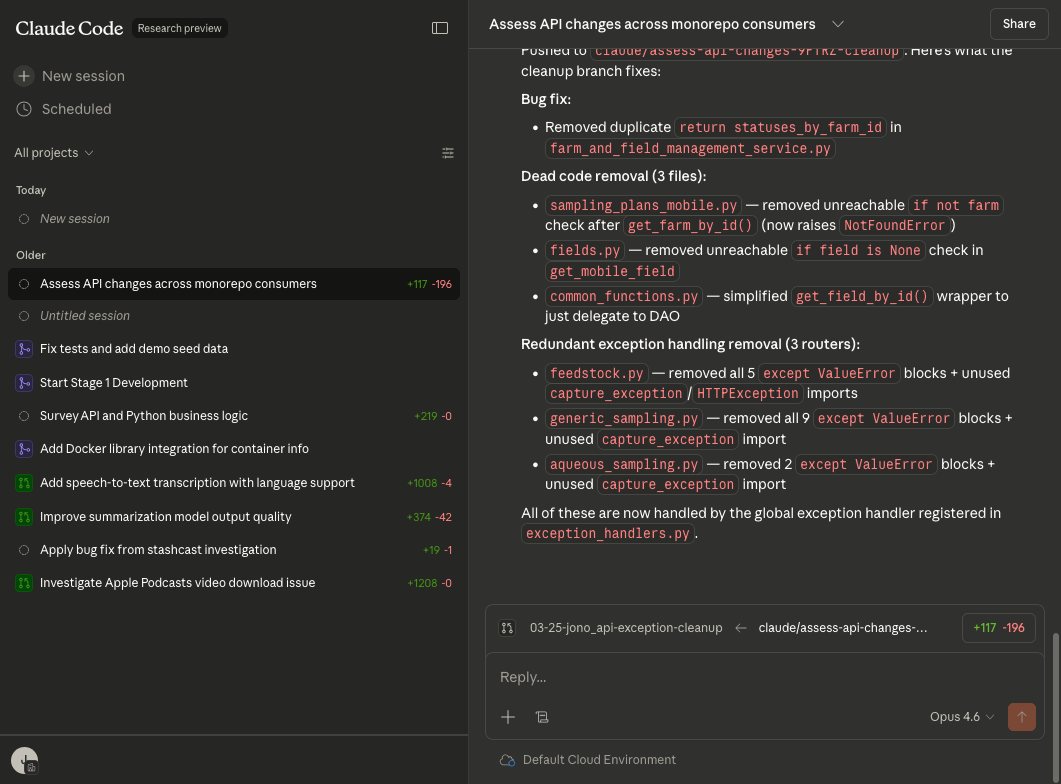
Claude Remote
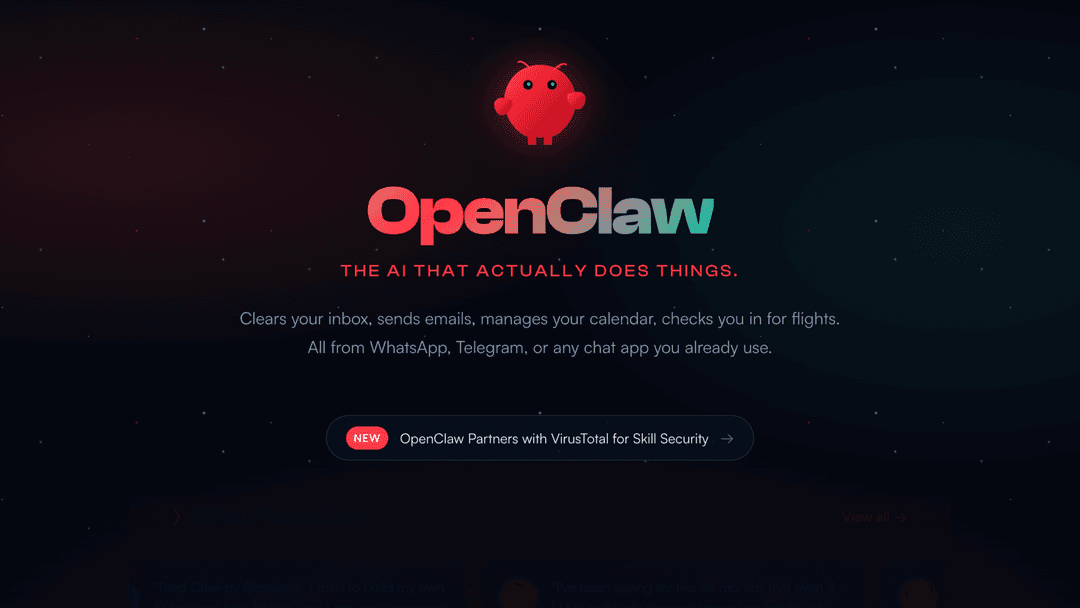
OpenClaw / ClaudeClaw / NanoClaw / NemoClaw
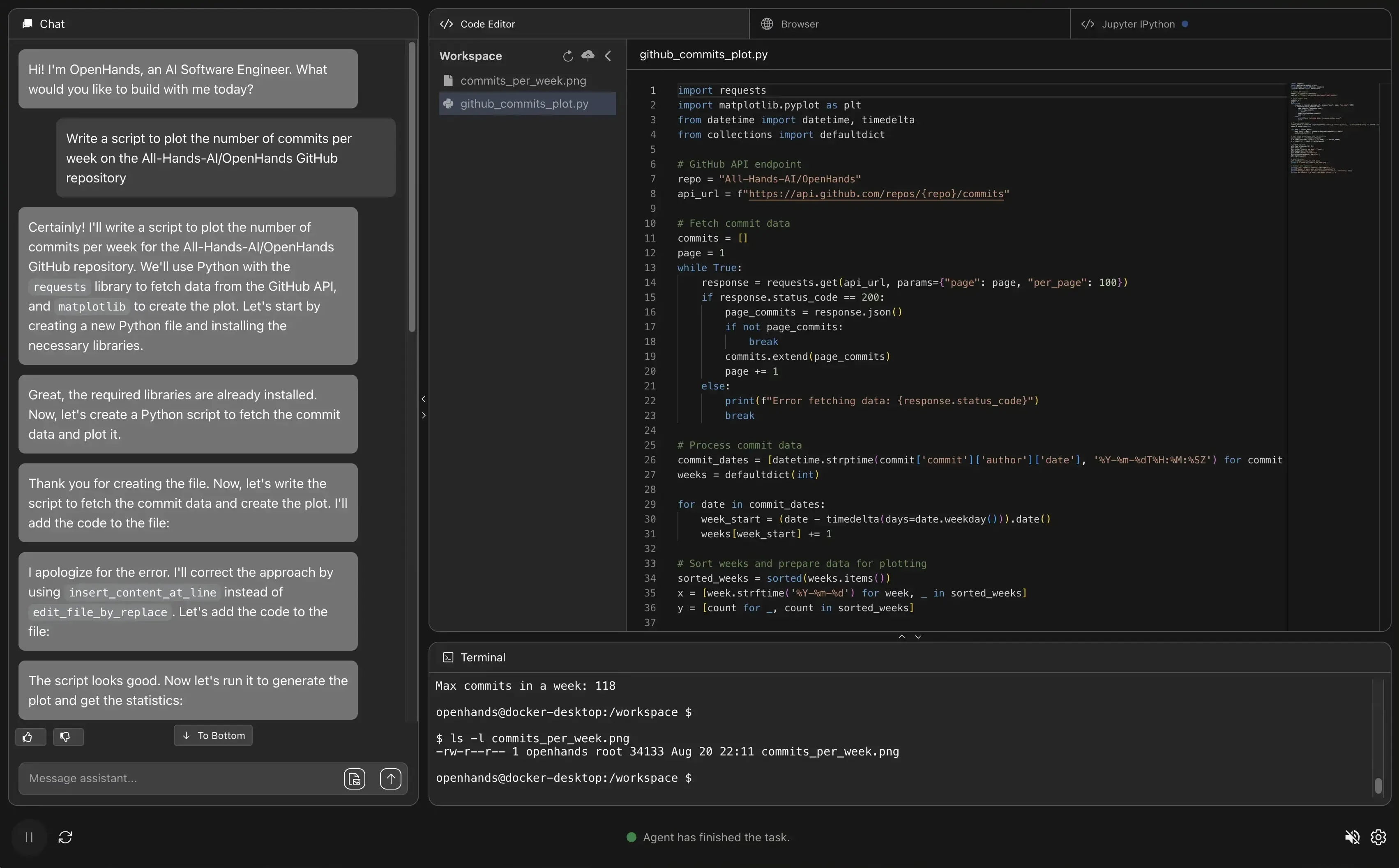
OpenHands
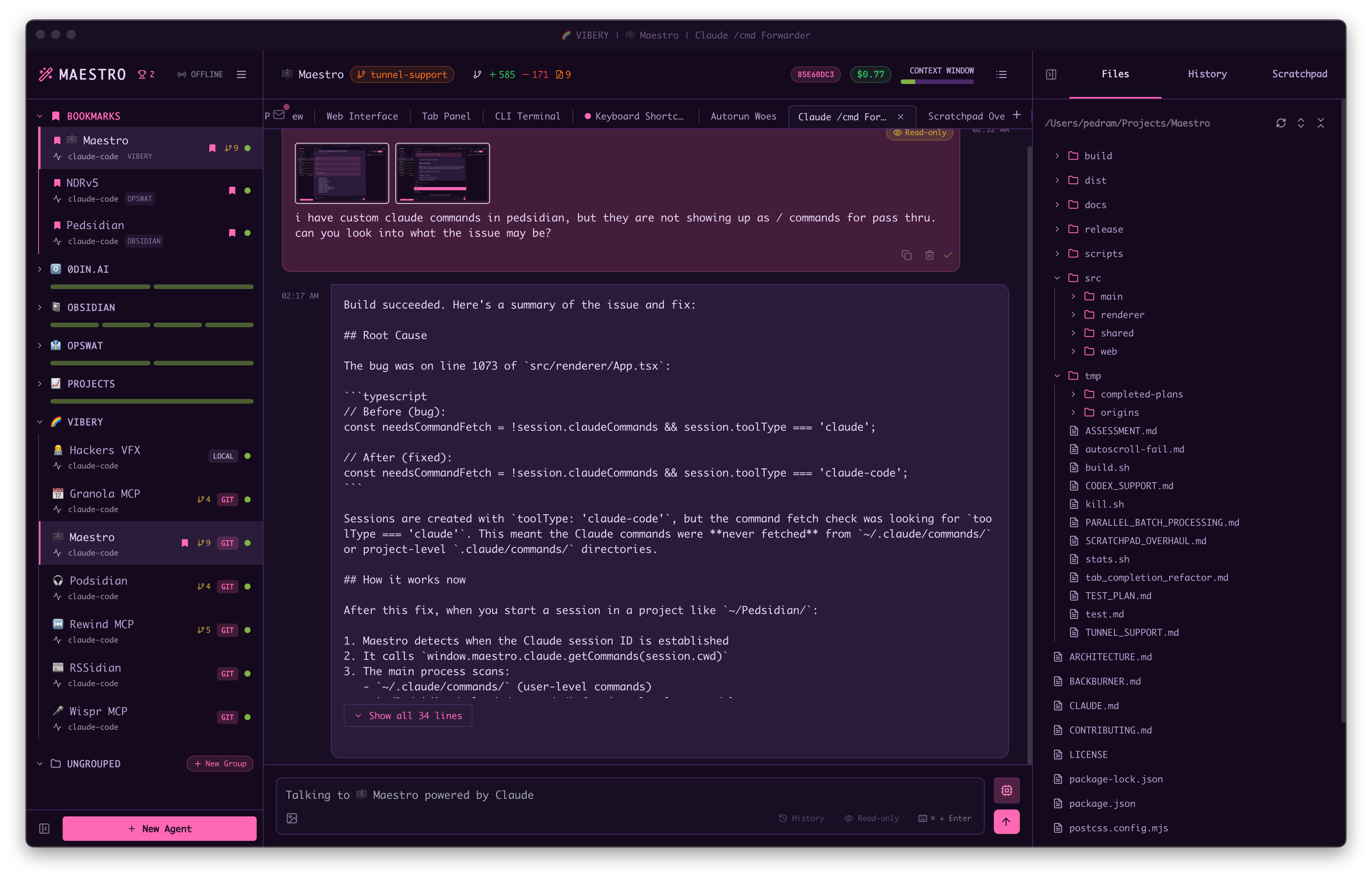
Maestro
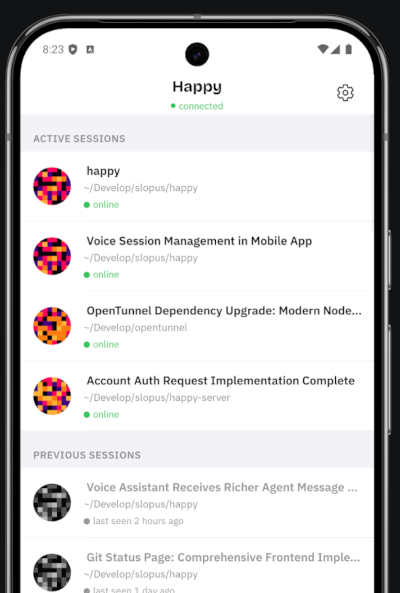
Happy
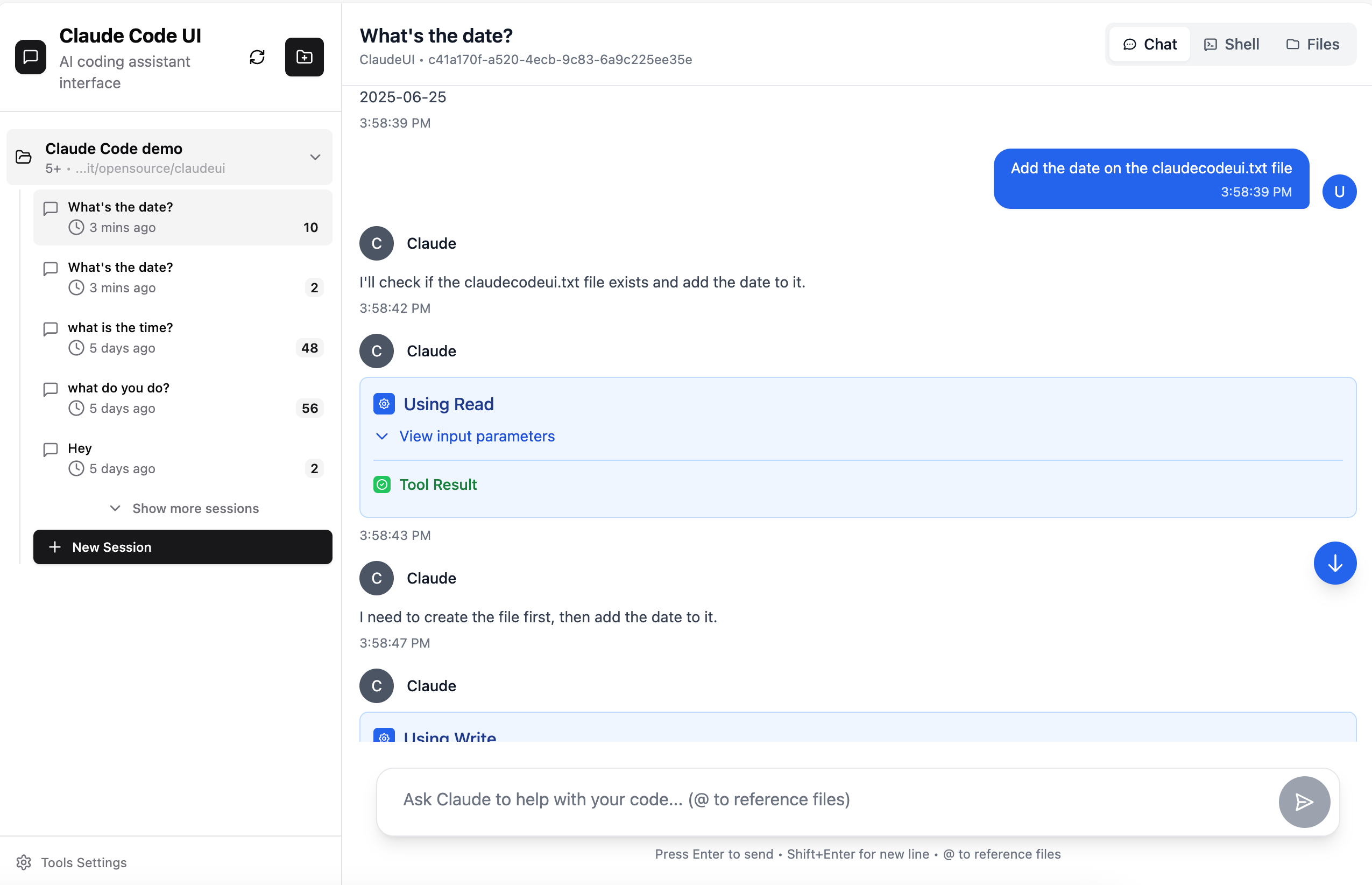
Cloud CLI (aka Claude Code UI)
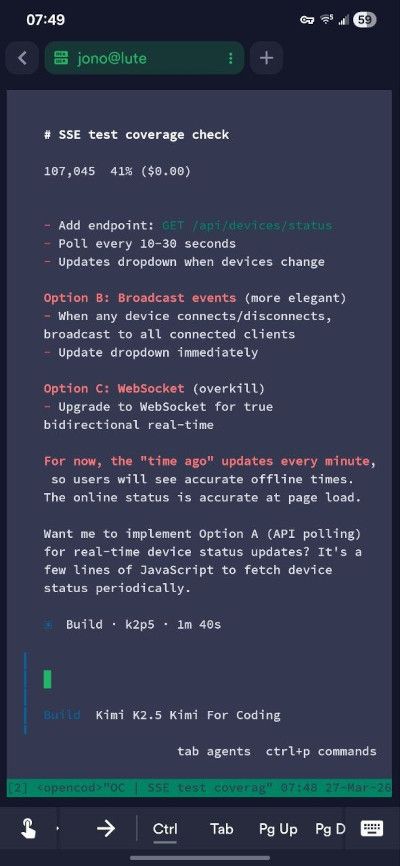
SSH (mosh + tmux)
Why I started building my own
How this pairs with other tools
Coolify

VS Code Web
The real tradeoffs
Managed systems are simpler. Bring-your-own systems are more flexible.
Cloud tools are easy, but constrained. Local tools have more fidelity to the real environment.
These are all asynchronous at the core. The more useful distinction is whether they are interactive-first or detached-first.
If I’m going to trust an agent to modify code, I need to be able to run and verify anything it does. That rules out a lot of sandboxed setups.
Single-agent systems are easier to understand. Multi-agent systems are more powerful, but add coordination overhead.Where this is all going
- ← Previous
Making sudo Work with AI Agents